

Rosetta Stone Software 1-3 Spanish Espanol Latin America PC Mac v3 + Headset CDs
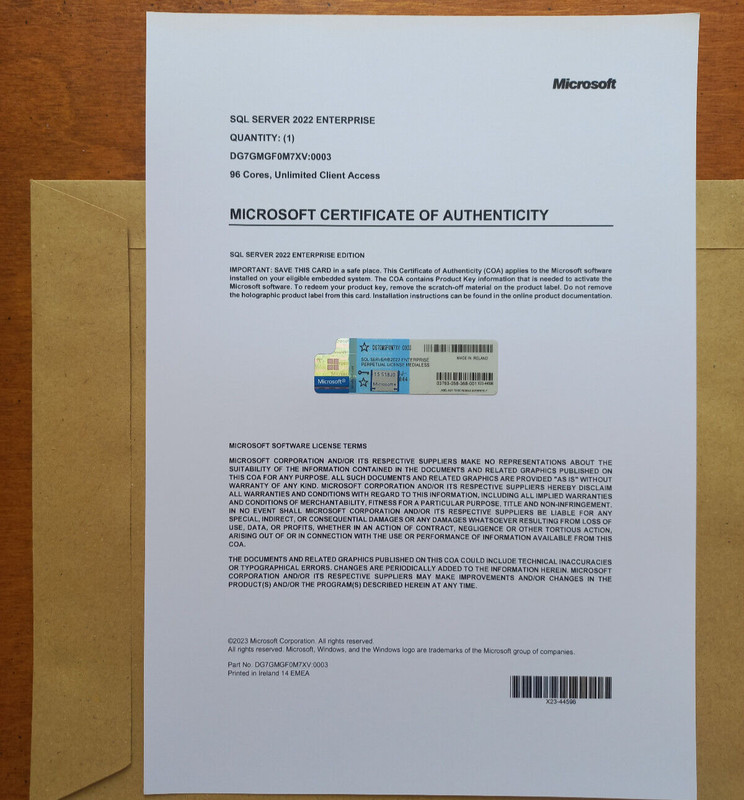
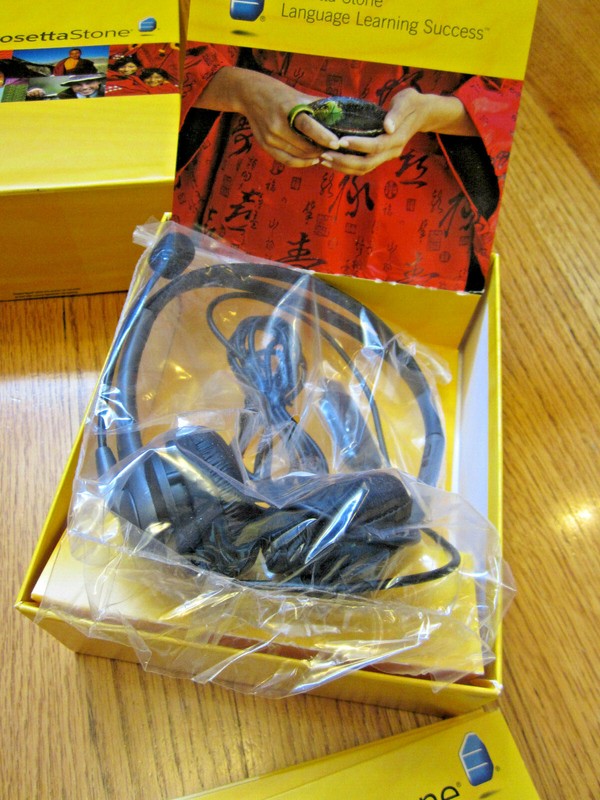
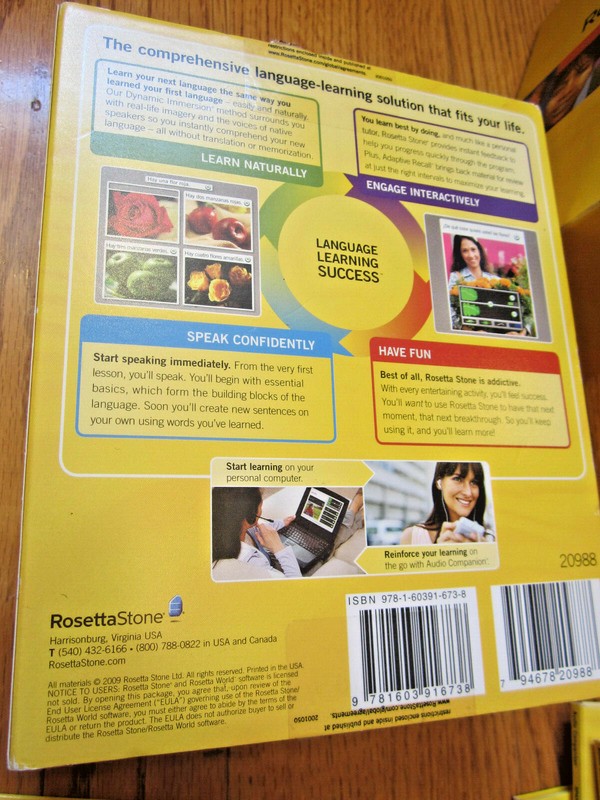
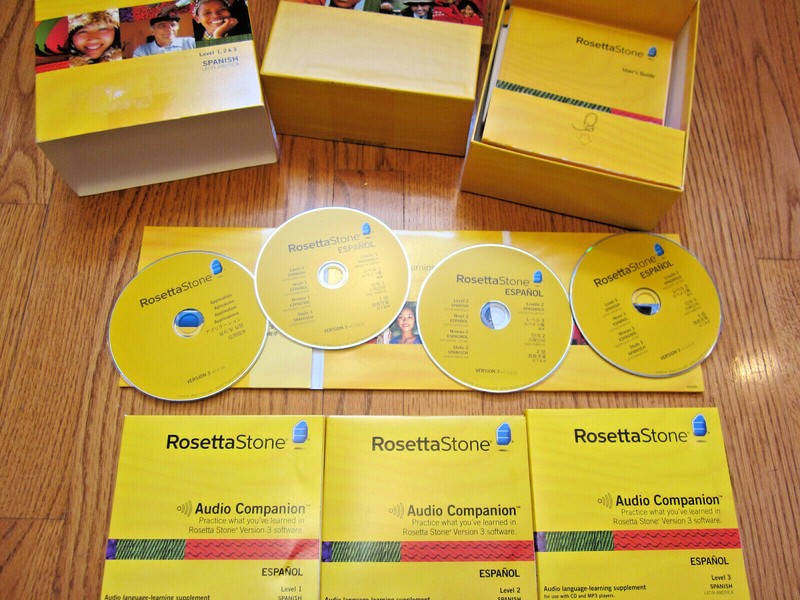
Rosetta Stone Software 1-3 Spanish Espanol Latin America PC Mac v3 + Headset CDs Original Price $549!Includes software, audio CDs, license key card, and headset as shown. From Wikipedia: Rosetta Stone Language Learning is proprietary computer-assisted language learning (CALL) software published by Rosetta Stone Inc. The software uses images, text, and sound to teach words and grammar by spaced repetition, without translation. Rosetta Stone calls its approach Dynamic Immersion™. The software's name and logo allude to the an ancient stone slab of the same name on which the Decree of Memphis is inscribed in three writing systems. Dynamic Immersion In a Rosetta Stone Language Learning exercise, the student pairs sound or text to one of several images. The number of images per screen varies. For example, the software shows the student four photographs. A native speaker makes a statement that describes one of the photographs, and the statement is printed on the screen; the student chooses the photograph that the speaker described. In another variation, the student completes a textual description of a photograph. In writing exercises, the software provides an on-screen keyboard for the user to type characters that are not in the Latin alphabet. Grammar lessons cover grammatical tense and grammatical mood. In grammar lessons, the program firstly shows the learner several examples of a grammatical concept, and in some levels the word or words the learner should focus on are highlighted. Then the learner is given a sentence with several options for a word or phrase, and the student chooses the correct option. If the student has a microphone, the software can attempt to evaluate word pronunciation. Each lesson concludes with a review of the content in that lesson, and each unit concludes with a milestone, which is a simulated conversation that includes the content of the unit. Scoring The program immediately informs whether the answer is right or wrong. Through the Preferences screen, the student can choose whether a sound is played or not when an answer is clicked. At the bottom of the window, the program shows all the screens for the current lesson. If all answers for that screen are correct, the button for that screen turns green. If some answers are correct, the border of the button turns green, but the screen number itself turns orange. If all answers for a screen are wrong, the button turns orange. This applies to all lessons except review and milestone lessons, which are treated as tests. In those lessons, the buttons for each screen all remain brown. In all lessons there is a button in the bottom-right of the window which can be hovered over to display how many answers are correct, wrong or have not been answered. Each time an answer is clicked, one point is given. At the end of the lesson, the total number of correct, wrong or skipped answers is shown alongside the percentage of correct answers for that lesson. If too many questions were answered incorrectly, the program suggests the learner should retry the lesson. Software versions To use Rosetta Stone Language Learning, a student needs the Rosetta Stone application software and at least one level of a language pack. The latest major version of Rosetta Stone is Rosetta Stone Language Learning 5.0.13. Language packs also have version numbers. The version number of the language pack is distinct from the version numbering scheme of the Rosetta Stone application, and a language pack is only compatible with specific versions of the application. Version 4 and 5 are backward compatible with language packs developed for Version 3, but not older ones. Version 3 Rosetta Stone Version 3 is not backward compatible with language packs developed for Rosetta Stone Versions 1 or 2.[2] Version 3 was initially released in August 2007 for ten bestselling languages, with other languages following later on.[3] The final revision of Version 3 is v3.4.7.r1. anguage Course organization The language courses are divided into three to five levels offered as language packs either in CD-ROMs or Download. In the retail software packages of Rosetta Stone, each CD-ROM has one level. All languages, except Latin, use mostly the same set of words and sentences in almost the same order, with mainly the same images. Some of the material is reused from lesson to lesson to invoke long-term retention. In version 3 pack, there are four units per language level. Each unit has four core lessons that are about 30 minutes long. The student then moves on to one of the following lesson modes: Pronunciation, Writing, Vocabulary, Grammar, Listening, Reading, Speaking. The Milestone is an exercise at the end of each unit in which students apply what they learned in the unit. Audio Companion On 9 June 2008, Rosetta Stone introduced an addition to its Version 3 product line: Audio Companion, supplemental audio recordings of words and phrases. The student is meant to repeat the spoken words and phrases for practice and memorization.[9] Unlike recordings based on the Pimsleur method, the Audio Companion provides neither narration nor translations. Rosetta Stone distributes the audio supplements on audio CD and as MP3 files. Each Audio Companion supplements one level of the language course, and each disc supplements a specific unit. Complete Version 4 course packages include Audio Companion material for each level.
Specifications
| All Returns Accepted | ReturnsNotAccepted |
| Platform | Universal |
| Type | Language Courses |
| Language | Spanish |
| MPN | 20988 |
| Minimum RAM | 512 MB |
| Brand | Rosetta Stone |
| For Operating Systems | Microsoft Windows 2000 |
Rosetta Stone Software 1-3 Spanish Espanol Latin America PC Mac v3 + Headset CDs Original Price $549!Includes software, audio CDs, license key card, and headset as shown. From Wikipedia: Rosetta Stone Language Learning is proprietary computer-assisted language learning (CALL) software published by Rosetta Stone Inc. The software uses images, text, and sound to teach words and grammar by spaced repetition, without translation. Rosetta Stone calls its approach Dynamic Immersion™. The software’s name and logo allude to the an ancient stone slab of the same name on which the Decree of Memphis is inscribed in three writing systems. Dynamic Immersion In a Rosetta Stone Language Learning exercise, the student pairs sound or text to one of several images. The number of images per screen varies. For example, the software shows the student four photographs. A native speaker makes a statement that describes one of the photographs, and the statement is printed on the screen; the student chooses the photograph that the speaker described. In another variation, the student completes a textual description of a photograph. In writing exercises, the software provides an on-screen keyboard for the user to type characters that are not in the Latin alphabet. Grammar lessons cover grammatical tense and grammatical mood. In grammar lessons, the program firstly shows the learner several examples of a grammatical concept, and in some levels the word or words the learner should focus on are highlighted. Then the learner is given a sentence with several options for a word or phrase, and the student chooses the correct option. If the student has a microphone, the software can attempt to evaluate word pronunciation. Each lesson concludes with a review of the content in that lesson, and each unit concludes with a milestone, which is a simulated conversation that includes the content of the unit. Scoring The program immediately informs whether the answer is right or wrong. Through the Preferences screen, the student can choose whether a sound is played or not when an answer is clicked. At the bottom of the window, the program shows all the screens for the current lesson. If all answers for that screen are correct, the button for that screen turns green. If some answers are correct, the border of the button turns green, but the screen number itself turns orange. If all answers for a screen are wrong, the button turns orange. This applies to all lessons except review and milestone lessons, which are treated as tests. In those lessons, the buttons for each screen all remain brown. In all lessons there is a button in the bottom-right of the window which can be hovered over to display how many answers are correct, wrong or have not been answered. Each time an answer is clicked, one point is given. At the end of the lesson, the total number of correct, wrong or skipped answers is shown alongside the percentage of correct answers for that lesson. If too many questions were answered incorrectly, the program suggests the learner should retry the lesson. Software versions To use Rosetta Stone Language Learning, a student needs the Rosetta Stone application software and at least one level of a language pack. The latest major version of Rosetta Stone is Rosetta Stone Language Learning 5.0.13. Language packs also have version numbers. The version number of the language pack is distinct from the version numbering scheme of the Rosetta Stone application, and a language pack is only compatible with specific versions of the application. Version 4 and 5 are backward compatible with language packs developed for Version 3, but not older ones. Version 3 Rosetta Stone Version 3 is not backward compatible with language packs developed for Rosetta Stone Versions 1 or 2.[2] Version 3 was initially released in August 2007 for ten bestselling languages, with other languages following later on.[3] The final revision of Version 3 is v3.4.7.r1. anguage Course organization The language courses are divided into three to five levels offered as language packs either in CD-ROMs or Download. In the retail software packages of Rosetta Stone, each CD-ROM has one level. All languages, except Latin, use mostly the same set of words and sentences in almost the same order, with mainly the same images. Some of the material is reused from lesson to lesson to invoke long-term retention. In version 3 pack, there are four units per language level. Each unit has four core lessons that are about 30 minutes long. The student then moves on to one of the following lesson modes: Pronunciation, Writing, Vocabulary, Grammar, Listening, Reading, Speaking. The Milestone is an exercise at the end of each unit in which students apply what they learned in the unit. Audio Companion On 9 June 2008, Rosetta Stone introduced an addition to its Version 3 product line: Audio Companion, supplemental audio recordings of words and phrases. The student is meant to repeat the spoken words and phrases for practice and memorization.[9] Unlike recordings based on the Pimsleur method, the Audio Companion provides neither narration nor translations. Rosetta Stone distributes the audio supplements on audio CD and as MP3 files. Each Audio Companion supplements one level of the language course, and each disc supplements a specific unit. Complete Version 4 course packages include Audio Companion material for each level.