Pinnacle Instant CD/DVD 8 PC CD photo music video slideshows on disk movie tool
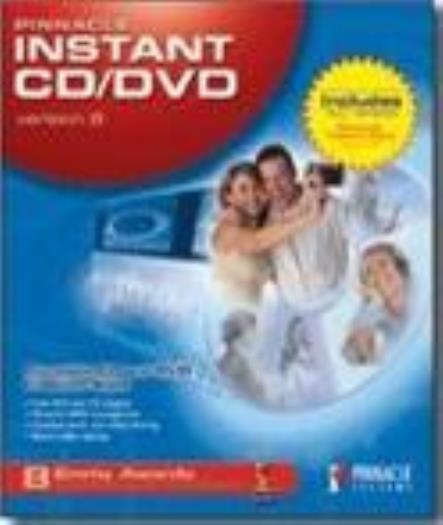
STOCK PHOTOS ONLY PINNACLE INSTANT CD/DVD VERSION 8 Create, burn, and copy virtually any CD and DVD. Encode MP3 files, compose music, and build photo and video slideshows that play in your living room DVD player. InstantCD/DVD version 8 is the definitive, award-winning CD and DVD authoring application for data management and disc creation. Easy enough for beginners, yet powerful enough for professionals. Burn discs immediately. InstantCD/DVD version 8 doesn’t require you to read thick user manuals to begin copying discs. After listening to our users and conducting extensive usability tests, we designed a new interface that is uniform, integrated, and easy to use, yet still maintains the high-end features our expert users expect. Copy virtually any type of data CD or DVD InstantCD/DVD version 8 duplicates virtually any non-copy protected DVD video, including dual-layer DVDs, onto recordable DVD discs with virtually no loss in picture quality. If you’re burning from DVD to CD-R/RW (i.e., VCD or SVCD), and the data exceeds the storage capacity of the disc, InstantCD/DVD version 8 spans the content overflow onto multiple discs. InstantCD/DVD version 8 also makes bit-for-bit copies of any CD and any media format. Copy and backup important files Turn your CD-R/RW and DVD-R/RW into a large virtual floppy drive! It’s now easier than ever to burn your data or audio files to disc. Simply drag and drop files to the icon on your desktop. Blank discs are automatically formatted, and the data is automatically burned. Burn faster Copy and burn a DVD at the same time with InstantCopy’s Direct-to-Disc technology. All you need is a DVD-ROM drive and a DVD burner. InstantCopy reads, compresses, and burns all at once. If you need to burn a disc quickly, then you’ll appreciate InstantCopy’s new hi-speed mode, which copies DVD discs four times faster than the previous version of the software. Create photo and video slideshows Take your photos and videos out of the computer and into the living room. Quickly import and prepare photos for slideshows. Create high-resolution multimedia slideshows with music, match transitions to the beat of the music, and archive your original images on the same disc. Point, click, drag, drop; it's that easy. Use automatic scene detection to assemble clips from your home movies, add photos and embellish them with professional-looking transitions and soundtracks. InstantCD/DVD version 8 imports AVI and MPEG files and has a DVD menu generator for quickly burning VCD, SVCD, and DVD discs. Create great music CDs InstantCD/DVD version 8 is the CD creation tool every music lover needs in his or her arsenal. Organize and manage MP3 collections, create playlists, prepare audio tracks for burning, and convert CD audio tracks to MP3 or WMA files that can be burned to disc or uploaded to a portable player. Add cross-fades and commentary to music discs, remove noise, and improve the audio quality of your MP3 files. If you're feeling creative, use InstantAudio tools to mix MP3s, and arrange original music. Enhance your music further using InstantCD/DVD version 8's built-in audio effects that include fade in/out, pitch, phase shift, and more. As you can see, InstantCD/DVD version 8 does it all and more. Features: InstantDisc Create data and audio CDs Rip and arrange audio to be burned onto CD Encode MP3s and save them to an MP3 database Copy and burn to CD-R/RW, DVD-R/RW, DVD+R/RW, and DVD-RAM Format and use rewriteable CDs and DVDs like a floppy or removable hard drive Create virtually any type of data CD and DVD (ISO9660, JOLIET, Data Mode 1, Mode 2XA, MixedMode, CD-Extra, CD-Plus, Multisession, and more... Create a virtual drive on your laptop to play audio CDs, DVD movies, and games even if you do not have a CD or DVD-ROM drive InstantWrite Drag files to the desktop icon, and automatically burn them to the CD or DVD Create new directories right on your CD-R, CD-RW, or DVD-RAM discs Save files from your applications directly to your drive InstantAudio and InstantMusic Import and organize music into playlists Add effects Create original music using WAV file samples Mix and arrange up to 16 stereo tracks of audio up to 74 minutes in length Grab audio tracks from CD Sample audio from any other input Convert CD audio CDs into MP3 files Manage your MP3 collection and prepare tracks for burning Add cross-fades and commentary to your music CDs Remove noise and improve audio quality of MP3 files Exact Audio Read/Write technology Create labels automatically Upload files to portable MP3 players InstantCopy version 8 True 1:1 copy: make bit for bit perfect copies of your non-copy protected CDs or DVDs Copy an entire 8.4GB DVD-Video onto a recordable 4.7GB DVD or span across several CDs (in VCD or SVCD formats)--then play in your set-top DVD player NEW! Faster copying thanks to Direct-To-Disc technology High-speed mode is 4x faster than before Multiple ways of duplicating any non-copy protected DVD video with no perceptible loss of audio or video quality One-click or customizable DVD creation lets you select film, subtitle, and audio tracks VCD and SVCD creation Automatic multi-CD spanning Bit-for-bit copying of any CD and any media format Create backup copies of any kind of CD Copy CD disc images to hard drive (virtual drive) Emulate CD/DVD drive on hard drive to speed up data access times (great for gaming) and enhance notebook battery performance InstantBackup Backup and restore your data to CD or DVD Back up only those files that have been changed since a predetermined date or modified-only files Pinnacle Expression Digital camcorder and removable storage device support Quickly import and prepare photos for slideshows Import AVI and MPEG files Editing tools include crop, rotate, mirror, color correction Create multimedia slideshows complete with music and transitions Automatically match transitions to the beat of the music Create hi-resolution slideshows Built-in scene detection creates menu buttons automatically Create professional-looking Motion Menus simply and easily Preview your project at any time, in real-time--no rendering or waiting DVD menu generator Archive original images on same disc as slideshow Pinnacle Expression also automatically creates fully customizable disc- and DVD-case labels to ensure that your discs look as good on the shelf as they do on your TV With InstantCinema you can also watch your slide shows on your PC Instant Drive is a virtual CD/DVD-ROM drive application that lets PC users access data from CD/DVD-ROM discs, even if they do not have a CD/DVD-ROM drive connected to the computer. Instant Drive creates a virtual CD/DVD-ROM drive on the computer's hard drive. CD/DVD-ROM data can then be mounted or unmounted on the Instant Drive volume, and accessed by a drive letter, just like a normal CD/DVD-ROM drive. Since the data is stored on a hard drive, access to CD/DVD-ROM data is much faster and operation is quieter. It also reduces power consumption, an important consideration for laptop users. For Windows [*Please review compatibility/platform sections] LEGAL NOTE & CONDITION: This software is not installed nor has been on any of our systems. The disk(s) has been verified to read correctly. Item comes as: CD IN SLEEVE; INCLUDES SERIAL/KEY WHAT YOU GET: This auction is for the original media, and includes only the media (ie. CD, floppy ...) UNLESS specifically stated above and/or in the title. If more than just the media is included, it will state which items are (ie. box, manual, etc ). Items that come in a sleeve refer to a generic CD sleeve (typically white) and will be sent with shipping protection to avoid damage during transit. If available, we will also send the front and/or back CD inserts if in stock. If these are important to you, please message us to verify we have them available to send. Please do not assume items are included other than what's stated. Again, ask questions PRIOR to purchasing if you have any concerns. IMAGES: All images/pictures are stock photos and are for reference only, mainly to show the type of program you will be getting. Please read "WHAT YOU GET" for what is included with the media. Screenshots may vary based on your own computer system, video card, monitor, etc. COMPATIBILITY: Computers are like people, each one is different. Unlike other things, a computer program may install and work flawlessly on one system but may need adjustments on another. This is due to a variety of factors, mainly the OS platform running, video card you have, drivers, protection software installed, etc. Many times manufacturers release updates to programs to fix bugs and add enhancements. We would be happy to help get the game going on your computer, but ultimately compatibility issues are the responsibility of the buyer. We suggest going to Google and searching for the name of the program along with the words "system requirements" to determine if your system is suitable. Ultimately, we are not responsible for software compatibility problems or publisher's errors. PLATFORM: Stated within the auction is what platform the program will work on (ie. Windows, Mac, Linux...) This is a generic statement and specific platform versions (ie. XP, Vista...) will have to be researched by the buyer. Programs that came out PRIOR to XP or higher will not specifically state they will work on that release, but only because they came out before those versions were made. Many, if not most, will work on XP or higher with a few quick adjustments. We provide instructions with all items purchased on how to do this adjustment using the Program Compatibility Wizard. If we find out that an item will definately not work on a specific version, we will state it. 64-Bit Windows OS Systems: For 64-bit Operating Systems, older applications most likely will NOT work due to 64-bit systems not being able to run 16-bit programming code (most applications prior to 2000). Macintosh Systems: For Macintosh programs, most older programs will need to be run in Classic Environment if you have a MAC OS X 10.0 - 10.4 version. Please research Google on how to do this, or send us a message for information prior to purchasing. If your MAC OS system doesn't support Classic Environment (ie. MAC OS X 10.5 or Higher OR Intel Macs), you will have to try running it using the free program called SheepShaver, but compatibility is not ensured. Please research prior to purchasing or ask questions. MEDIA FORMAT: Please verify you have the required hardware in order to use the specified media (ie. CD, DVD, floppy drives, etc.) If the item comes as a floppy disc, make sure you have either the needed 3.5" floppy drive or the bigger and older 5.25" floppy drive. SHIPPING: We typically ship all items out within 2-4 business days after payment is received. In regards to the stated shipping and handling, remember that these costs include more than just postage. We combine shipping and handling, with each additional item after the first just $2 more. Message us for an invoice if Ebay doesn't automatically adjust it. International buyers not shipping to an address within the U.S. can expect their orders to take anywhere from 5 days to 4 weeks to be received, depending on how fast/well USPS is moving. Additionally, international orders typically have to go through governmental customs, which can delay the arrival process. Import duties, taxes, and charges are not included in the item price or shipping cost. These charges are the buyer's responsibility. Please check with your country's customs office to determine what these additional costs will be prior to bidding or buying. Customs fees are normally charged by the shipping company or collected when you pick the item up. These fees are not additional shipping charges. RECOMMENDATIONS FOR A SMOOTH PURCHASE: Ask questions PRIOR to purchasing an order to avoid any confusion. Be patient if there are problems during installation or running. Typically others have ran into that problem and have listed a solution online. Contact us and we will do our best to help. Be sure to update your video card drivers and search for updates to the game from the manufacturer. Please message us prior to leaving negative or neutral feedback in order for us to help solve your problem.
Specifications
| All Returns Accepted | ReturnsNotAccepted |
| Brand | Unbranded |
STOCK PHOTOS ONLY PINNACLE INSTANT CD/DVD VERSION 8 Create, burn, and copy virtually any CD and DVD. Encode MP3 files, compose music, and build photo and video slideshows that play in your living room DVD player. InstantCD/DVD version 8 is the definitive, award-winning CD and DVD authoring application for data management and disc creation. Easy enough for beginners, yet powerful enough for professionals. Burn discs immediately. InstantCD/DVD version 8 doesn’t require you to read thick user manuals to begin copying discs. After listening to our users and conducting extensive usability tests, we designed a new interface that is uniform, integrated, and easy to use, yet still maintains the high-end features our expert users expect. Copy virtually any type of data CD or DVD InstantCD/DVD version 8 duplicates virtually any non-copy protected DVD video, including dual-layer DVDs, onto recordable DVD discs with virtually no loss in picture quality. If you’re burning from DVD to CD-R/RW (i.e., VCD or SVCD), and the data exceeds the storage capacity of the disc, InstantCD/DVD version 8 spans the content overflow onto multiple discs. InstantCD/DVD version 8 also makes bit-for-bit copies of any CD and any media format. Copy and backup important files Turn your CD-R/RW and DVD-R/RW into a large virtual floppy drive! It’s now easier than ever to burn your data or audio files to disc. Simply drag and drop files to the icon on your desktop. Blank discs are automatically formatted, and the data is automatically burned. Burn faster Copy and burn a DVD at the same time with InstantCopy’s Direct-to-Disc technology. All you need is a DVD-ROM drive and a DVD burner. InstantCopy reads, compresses, and burns all at once. If you need to burn a disc quickly, then you’ll appreciate InstantCopy’s new hi-speed mode, which copies DVD discs four times faster than the previous version of the software. Create photo and video slideshows Take your photos and videos out of the computer and into the living room. Quickly import and prepare photos for slideshows. Create high-resolution multimedia slideshows with music, match transitions to the beat of the music, and archive your original images on the same disc. Point, click, drag, drop; it’s that easy. Use automatic scene detection to assemble clips from your home movies, add photos and embellish them with professional-looking transitions and soundtracks. InstantCD/DVD version 8 imports AVI and MPEG files and has a DVD menu generator for quickly burning VCD, SVCD, and DVD discs. Create great music CDs InstantCD/DVD version 8 is the CD creation tool every music lover needs in his or her arsenal. Organize and manage MP3 collections, create playlists, prepare audio tracks for burning, and convert CD audio tracks to MP3 or WMA files that can be burned to disc or uploaded to a portable player. Add cross-fades and commentary to music discs, remove noise, and improve the audio quality of your MP3 files. If you’re feeling creative, use InstantAudio tools to mix MP3s, and arrange original music. Enhance your music further using InstantCD/DVD version 8’s built-in audio effects that include fade in/out, pitch, phase shift, and more. As you can see, InstantCD/DVD version 8 does it all and more. Features: InstantDisc Create data and audio CDs Rip and arrange audio to be burned onto CD Encode MP3s and save them to an MP3 database Copy and burn to CD-R/RW, DVD-R/RW, DVD+R/RW, and DVD-RAM Format and use rewriteable CDs and DVDs like a floppy or removable hard drive Create virtually any type of data CD and DVD (ISO9660, JOLIET, Data Mode 1, Mode 2XA, MixedMode, CD-Extra, CD-Plus, Multisession, and more… Create a virtual drive on your laptop to play audio CDs, DVD movies, and games even if you do not have a CD or DVD-ROM drive InstantWrite Drag files to the desktop icon, and automatically burn them to the CD or DVD Create new directories right on your CD-R, CD-RW, or DVD-RAM discs Save files from your applications directly to your drive InstantAudio and InstantMusic Import and organize music into playlists Add effects Create original music using WAV file samples Mix and arrange up to 16 stereo tracks of audio up to 74 minutes in length Grab audio tracks from CD Sample audio from any other input Convert CD audio CDs into MP3 files Manage your MP3 collection and prepare tracks for burning Add cross-fades and commentary to your music CDs Remove noise and improve audio quality of MP3 files Exact Audio Read/Write technology Create labels automatically Upload files to portable MP3 players InstantCopy version 8 True 1:1 copy: make bit for bit perfect copies of your non-copy protected CDs or DVDs Copy an entire 8.4GB DVD-Video onto a recordable 4.7GB DVD or span across several CDs (in VCD or SVCD formats)–then play in your set-top DVD player NEW! Faster copying thanks to Direct-To-Disc technology High-speed mode is 4x faster than before Multiple ways of duplicating any non-copy protected DVD video with no perceptible loss of audio or video quality One-click or customizable DVD creation lets you select film, subtitle, and audio tracks VCD and SVCD creation Automatic multi-CD spanning Bit-for-bit copying of any CD and any media format Create backup copies of any kind of CD Copy CD disc images to hard drive (virtual drive) Emulate CD/DVD drive on hard drive to speed up data access times (great for gaming) and enhance notebook battery performance InstantBackup Backup and restore your data to CD or DVD Back up only those files that have been changed since a predetermined date or modified-only files Pinnacle Expression Digital camcorder and removable storage device support Quickly import and prepare photos for slideshows Import AVI and MPEG files Editing tools include crop, rotate, mirror, color correction Create multimedia slideshows complete with music and transitions Automatically match transitions to the beat of the music Create hi-resolution slideshows Built-in scene detection creates menu buttons automatically Create professional-looking Motion Menus simply and easily Preview your project at any time, in real-time–no rendering or waiting DVD menu generator Archive original images on same disc as slideshow Pinnacle Expression also automatically creates fully customizable disc- and DVD-case labels to ensure that your discs look as good on the shelf as they do on your TV With InstantCinema you can also watch your slide shows on your PC Instant Drive is a virtual CD/DVD-ROM drive application that lets PC users access data from CD/DVD-ROM discs, even if they do not have a CD/DVD-ROM drive connected to the computer. Instant Drive creates a virtual CD/DVD-ROM drive on the computer’s hard drive. CD/DVD-ROM data can then be mounted or unmounted on the Instant Drive volume, and accessed by a drive letter, just like a normal CD/DVD-ROM drive. Since the data is stored on a hard drive, access to CD/DVD-ROM data is much faster and operation is quieter. It also reduces power consumption, an important consideration for laptop users. For Windows [*Please review compatibility/platform sections] LEGAL NOTE & CONDITION: This software is not installed nor has been on any of our systems. The disk(s) has been verified to read correctly. Item comes as: CD IN SLEEVE; INCLUDES SERIAL/KEY WHAT YOU GET: This auction is for the original media, and includes only the media (ie. CD, floppy …) UNLESS specifically stated above and/or in the title. If more than just the media is included, it will state which items are (ie. box, manual, etc ). Items that come in a sleeve refer to a generic CD sleeve (typically white) and will be sent with shipping protection to avoid damage during transit. If available, we will also send the front and/or back CD inserts if in stock. If these are important to you, please message us to verify we have them available to send. Please do not assume items are included other than what’s stated. Again, ask questions PRIOR to purchasing if you have any concerns. IMAGES: All images/pictures are stock photos and are for reference only, mainly to show the type of program you will be getting. Please read “WHAT YOU GET” for what is included with the media. Screenshots may vary based on your own computer system, video card, monitor, etc. COMPATIBILITY: Computers are like people, each one is different. Unlike other things, a computer program may install and work flawlessly on one system but may need adjustments on another. This is due to a variety of factors, mainly the OS platform running, video card you have, drivers, protection software installed, etc. Many times manufacturers release updates to programs to fix bugs and add enhancements. We would be happy to help get the game going on your computer, but ultimately compatibility issues are the responsibility of the buyer. We suggest going to Google and searching for the name of the program along with the words “system requirements” to determine if your system is suitable. Ultimately, we are not responsible for software compatibility problems or publisher’s errors. PLATFORM: Stated within the auction is what platform the program will work on (ie. Windows, Mac, Linux…) This is a generic statement and specific platform versions (ie. XP, Vista…) will have to be researched by the buyer. Programs that came out PRIOR to XP or higher will not specifically state they will work on that release, but only because they came out before those versions were made. Many, if not most, will work on XP or higher with a few quick adjustments. We provide instructions with all items purchased on how to do this adjustment using the Program Compatibility Wizard. If we find out that an item will definately not work on a specific version, we will state it. 64-Bit Windows OS Systems: For 64-bit Operating Systems, older applications most likely will NOT work due to 64-bit systems not being able to run 16-bit programming code (most applications prior to 2000). Macintosh Systems: For Macintosh programs, most older programs will need to be run in Classic Environment if you have a MAC OS X 10.0 – 10.4 version. Please research Google on how to do this, or send us a message for information prior to purchasing. If your MAC OS system doesn’t support Classic Environment (ie. MAC OS X 10.5 or Higher OR Intel Macs), you will have to try running it using the free program called SheepShaver, but compatibility is not ensured. Please research prior to purchasing or ask questions. MEDIA FORMAT: Please verify you have the required hardware in order to use the specified media (ie. CD, DVD, floppy drives, etc.) If the item comes as a floppy disc, make sure you have either the needed 3.5″ floppy drive or the bigger and older 5.25″ floppy drive. SHIPPING: We typically ship all items out within 2-4 business days after payment is received. In regards to the stated shipping and handling, remember that these costs include more than just postage. We combine shipping and handling, with each additional item after the first just $2 more. Message us for an invoice if Ebay doesn’t automatically adjust it. International buyers not shipping to an address within the U.S. can expect their orders to take anywhere from 5 days to 4 weeks to be received, depending on how fast/well USPS is moving. Additionally, international orders typically have to go through governmental customs, which can delay the arrival process. Import duties, taxes, and charges are not included in the item price or shipping cost. These charges are the buyer’s responsibility. Please check with your country’s customs office to determine what these additional costs will be prior to bidding or buying. Customs fees are normally charged by the shipping company or collected when you pick the item up. These fees are not additional shipping charges. RECOMMENDATIONS FOR A SMOOTH PURCHASE: Ask questions PRIOR to purchasing an order to avoid any confusion. Be patient if there are problems during installation or running. Typically others have ran into that problem and have listed a solution online. Contact us and we will do our best to help. Be sure to update your video card drivers and search for updates to the game from the manufacturer. Please message us prior to leaving negative or neutral feedback in order for us to help solve your problem.