
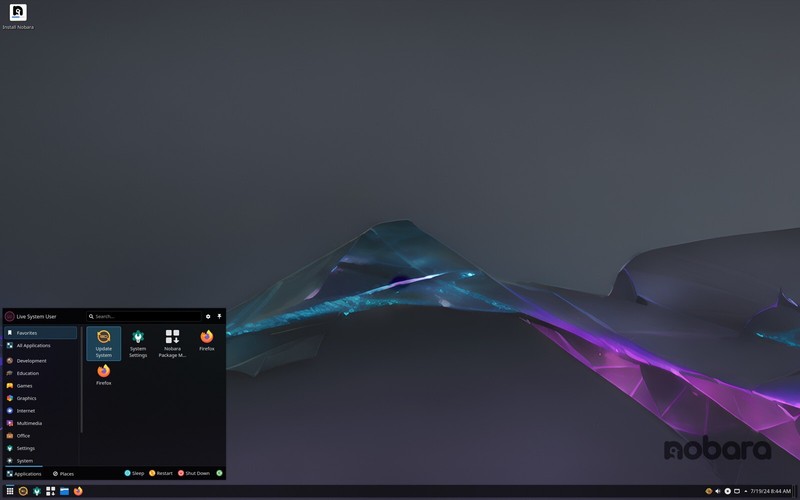


Nobara Linux Bootable Live USB Flash Drive 64Bit Official GNOME KDE Combo
**Nobara Project Linux (with 3 Versions)** Nobara is a user-friendly version of Fedora Linux, designed for gaming, streaming, and content creation. It includes extra features like WINE for running Windows games, OBS Studio for streaming, NVIDIA drivers, and third-party multimedia codecs. This USB comes with 3 ISO versions: 1. **Official GNOME Edition** (Custom themed) 2. **Standard GNOME Edition** 3. **KDE Edition** (For a different desktop experience) Perfect for gamers, streamers, and creators looking for an easy-to-use, out-of-the-box Linux setup. --- Access the Boot Menu As soon as the computer starts, repeatedly press the boot menu key. This key varies by manufacturer, but the most common ones are: F12 (Most Dell, Lenovo, ASUS, MSI, Acer laptops and desktops) Esc (HP) F10 (Some HP models) F2 (Some ASUS, Toshiba, and Lenovo models for BIOS) Del (Some desktop PCs)
Specifications
| Return Shipping Will Be Paid By | Buyer |
| All Returns Accepted | Returns Accepted |
| Item Must Be Returned Within | 30 Days |
| Refund Will Be Given As | Money Back |
| Platform | Linux |
| License Category | open source |
| Minimum RAM | 2 GB |
| MPN | 002 |
| For Operating Systems | Linux |
| California Prop 65 Warning | No Problems |
| Operating Systems | Nobara |
| Brand | Nobara |
| Type | Live USB |
| Format | USB |
| Unit Type | Unit |
| Minimum Hard Drive Space | Live USB |
| Language | English |
| Model | Nobara |
| Minimum Processor Speed | 2 GHz |
| Country/Region Of Manufacture | United States |
| Unit Quantity | one |
| Number Of Devices | Unlimited |
**Nobara Project Linux (with 3 Versions)** Nobara is a user-friendly version of Fedora Linux, designed for gaming, streaming, and content creation. It includes extra features like WINE for running Windows games, OBS Studio for streaming, NVIDIA drivers, and third-party multimedia codecs. This USB comes with 3 ISO versions: 1. **Official GNOME Edition** (Custom themed) 2. **Standard GNOME Edition** 3. **KDE Edition** (For a different desktop experience) Perfect for gamers, streamers, and creators looking for an easy-to-use, out-of-the-box Linux setup. — Access the Boot Menu As soon as the computer starts, repeatedly press the boot menu key. This key varies by manufacturer, but the most common ones are: F12 (Most Dell, Lenovo, ASUS, MSI, Acer laptops and desktops) Esc (HP) F10 (Some HP models) F2 (Some ASUS, Toshiba, and Lenovo models for BIOS) Del (Some desktop PCs)


