


NEW Money Manager Accounting Bookkeeping, Tax, VAT, Business & Personal Mac
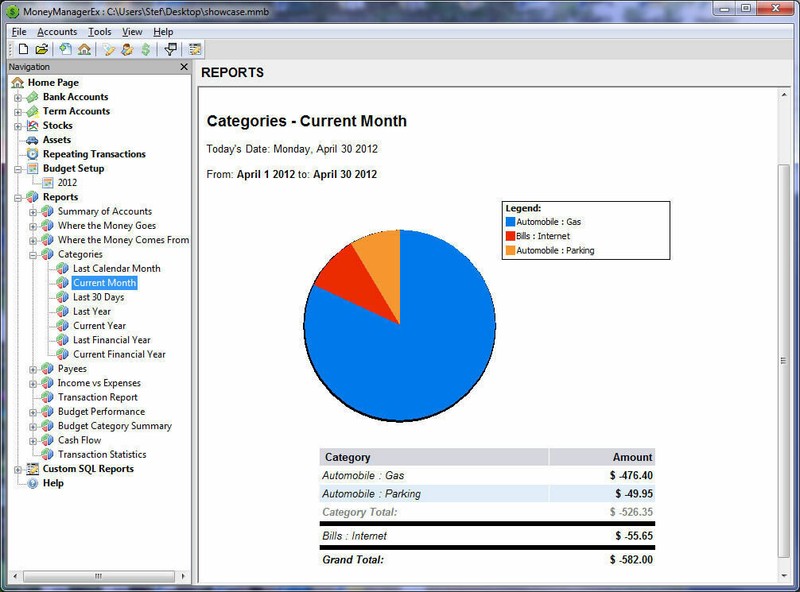
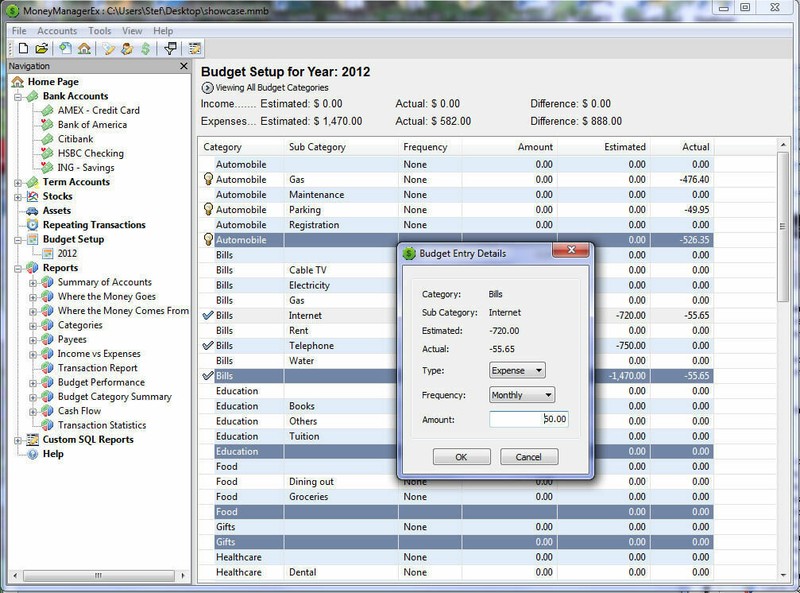
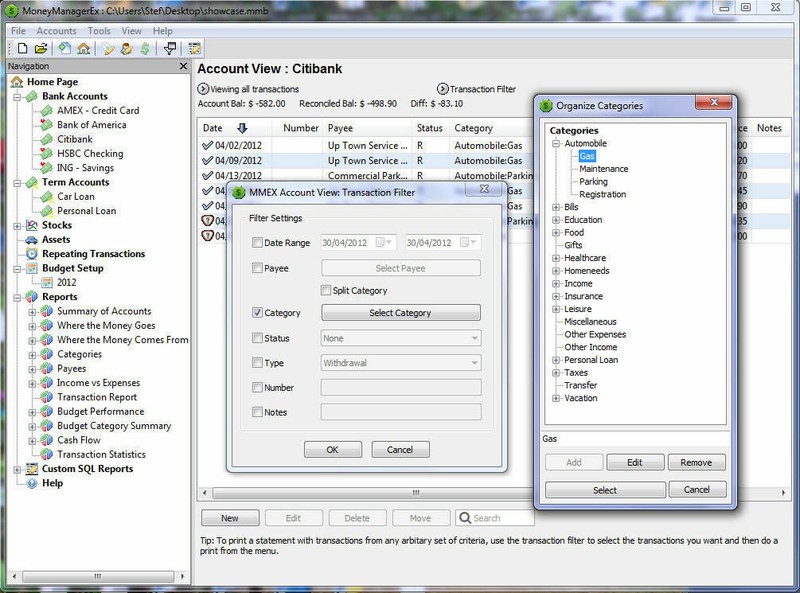
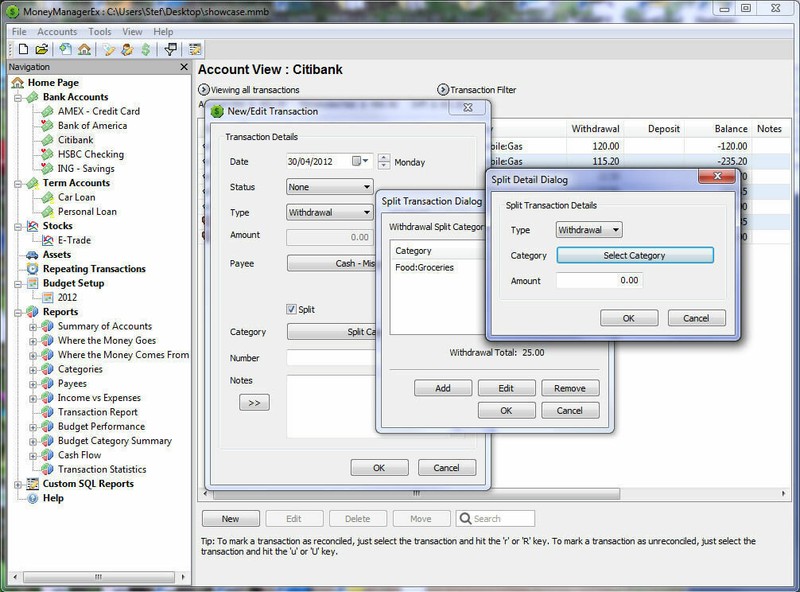
NEW & Ready to Ship Fast! + Download Included - Money Manager Ex Business Accounting Quicken Alternative on a Professional Disc - Provided by Sharper Jacks Toggle Navigation Toggle Navigation Money Manager Ex [SOFT - 8 - M - D1] Money Manager Ex is an open-source, cross-platform, easy-to-use personal finance software. It primarily helps organize one's finances and keeps track of where, when and how the money goes. It is also a great tool to get a bird's eye view of your financial worth. Money Manager includes all the basic features that 90% of users would want to see in a personal finance application. The design goals are to concentrate on simplicity and user-friendliness - something one can use everyday. • Intuitive. Simple, Fast, Clean • AES Encryption Support • Maintain checking, credit card, savings, stock investment accounts • Budgeting • Maintain and Track Fixed Assets with depreciation • Reminders for recurring Bills and Deposits • Simple one click reporting • Cash Flow Forecasting • Graphs, Piecharts • International language support (Available in 24 languages) • Import data from any CSV format, QIF [ Microsoft- Money ] • Printing, Exporting to HTML, CSV • Non-Proprietary SQLite Database Manage Multiple Accounts • Create and maintain an electronic checkbook - Checking, Savings, Credit Card or Loans, Stock Investment Accounts, Assets Checking, Savings, Credit Card or Loan Accounts • Manage income and expense transactions within these accounts • Create your own categories and organize these transactions to track where your money comes or goes. • Manage money transfers between accounts • Mark transactions as reconciled, unreconciled or void to track them against your bank statements • Manage Payees Stock/Bonds/Mutual Fund Accounts • Track your shares, bonds and related investments • Track the gain/loss for each investment • Update current share price General Account Features • Ability to handle multiple currency across accounts • Internationalization of currency formatting • Unicode support for all data storage • Track closed Accounts • Setup accounts as favorite accounts • Track your Bills and Deposits- Create bills & deposits to be reminded of your upcoming bills and deposits so you never miss a payment or deposit • Account Summary Views and Navigation- An easy to use tree view navigator to navigate across accounts and summarized views of your accounts, upcoming bills & deposits and income vs. expenses • Budgeting- Setup budgets for a calendar year and see how you are doing over time. • Importing, Exporting and Printing- Ability to import, export and print your account information Import • Import information from Excel in CSV format • Import information from QIF format (Microsoft- Money & Quicken) Exports • Export information from any account to Excel (Comma Separated Value -.CSV) format Printing • Printing of reports/accounts with inbuilt print preview. Reporting View your spending/expenses in a wide variety of ways. • View spending by category over a date range for specific or all accounts • View spending on a single category over time • View income vs expenses • View spending by payee • View expenses and how you are doing on a budget. Toggle Navigation Toggle Navigation Toggle Navigation Toggle Navigation Toggle Navigation Toggle Navigation Toggle Navigation
Specifications
| Return Shipping Will Be Paid By | Buyer |
| All Returns Accepted | Returns Accepted |
| Item Must Be Returned Within | 30 Days |
| Refund Will Be Given As | Money Back |
| Type | Personal Finance |
| Platform | Mac |
| Country/Region Of Manufacture | United States |
| MPN | Does Not Apply |
| Language | English |
| License Category | Standard |
| Operating Systems | Apple Mac OS X |
| UPC | Does not apply |
| For Operating Systems | Apple Mac OS 6 |
NEW & Ready to Ship Fast! + Download Included – Money Manager Ex Business Accounting Quicken Alternative on a Professional Disc – Provided by Sharper Jacks Toggle Navigation Toggle Navigation Money Manager Ex [SOFT – 8 – M – D1] Money Manager Ex is an open-source, cross-platform, easy-to-use personal finance software. It primarily helps organize one’s finances and keeps track of where, when and how the money goes. It is also a great tool to get a bird’s eye view of your financial worth. Money Manager includes all the basic features that 90% of users would want to see in a personal finance application. The design goals are to concentrate on simplicity and user-friendliness – something one can use everyday. • Intuitive. Simple, Fast, Clean • AES Encryption Support • Maintain checking, credit card, savings, stock investment accounts • Budgeting • Maintain and Track Fixed Assets with depreciation • Reminders for recurring Bills and Deposits • Simple one click reporting • Cash Flow Forecasting • Graphs, Piecharts • International language support (Available in 24 languages) • Import data from any CSV format, QIF [ Microsoft- Money ] • Printing, Exporting to HTML, CSV • Non-Proprietary SQLite Database Manage Multiple Accounts • Create and maintain an electronic checkbook – Checking, Savings, Credit Card or Loans, Stock Investment Accounts, Assets Checking, Savings, Credit Card or Loan Accounts • Manage income and expense transactions within these accounts • Create your own categories and organize these transactions to track where your money comes or goes. • Manage money transfers between accounts • Mark transactions as reconciled, unreconciled or void to track them against your bank statements • Manage Payees Stock/Bonds/Mutual Fund Accounts • Track your shares, bonds and related investments • Track the gain/loss for each investment • Update current share price General Account Features • Ability to handle multiple currency across accounts • Internationalization of currency formatting • Unicode support for all data storage • Track closed Accounts • Setup accounts as favorite accounts • Track your Bills and Deposits- Create bills & deposits to be reminded of your upcoming bills and deposits so you never miss a payment or deposit • Account Summary Views and Navigation- An easy to use tree view navigator to navigate across accounts and summarized views of your accounts, upcoming bills & deposits and income vs. expenses • Budgeting- Setup budgets for a calendar year and see how you are doing over time. • Importing, Exporting and Printing- Ability to import, export and print your account information Import • Import information from Excel in CSV format • Import information from QIF format (Microsoft- Money & Quicken) Exports • Export information from any account to Excel (Comma Separated Value -.CSV) format Printing • Printing of reports/accounts with inbuilt print preview. Reporting View your spending/expenses in a wide variety of ways. • View spending by category over a date range for specific or all accounts • View spending on a single category over time • View income vs expenses • View spending by payee • View expenses and how you are doing on a budget. Toggle Navigation Toggle Navigation Toggle Navigation Toggle Navigation Toggle Navigation Toggle Navigation Toggle Navigation