Learn Microsoft Visual C++ using MFC & NET Interactive CD Trainingcourse + Bonus
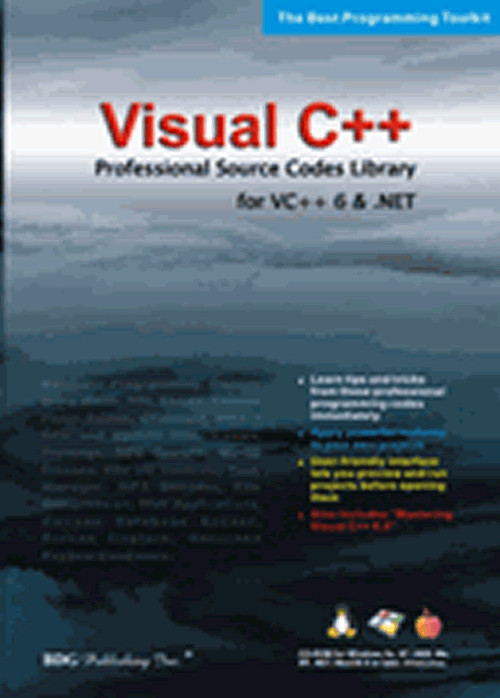
Learn Microsoft Visual C++ 2013 using MFC and .NET Training CD Course Bonus CD: Visual C++ Pro Source Code Library Mastering Visual C++ 2013 is a must have step-by-step narrated training simulation for first time beginners. This CD contains 17 lessons for developing application programs in Visual C++ using MFC and .NET framework.If you are new to Microsoft Visual C++, this is a good starting tutorial for you. No prior experience of programming is necessary. We will walk you through from basic concept of programming to more advanced topics, such as Microsoft Foundation Class and .NET framework. As a result, you will understand the concept of native codes vs. managed codes. The tutorial is divided into four modules. The first module is to teach you the basic C++ programming language. The seond module is to teach you the object-oriented programming. The third module is to teach you how to develop C++ program using the MFC (Microsoft Foundation Classes). The last module is to teach you how to use the .NET framework. This step-by-step narration explains the programming tools, then helps you apply those tools directly and immediately to your own projects.In addition, we will include the second CD as reference. This CD is developed for earlier version of Visual C++ .NET 2003 using Visual studio 2003. The concept can be applied toward the new version of Visual C++, such as 2005 and 2010. Features:Master Visual C++ 2013 Quickly and EasilyFollow Step-by-Step Narrated InstructionsLearn Special Problems Solving and TechniquesWork with Dynamic Simulations, Not Sequential Static DisplaysUp to 20X Faster than Learning from a BookDownload Example files to follow along and practiceApproximately 24 Hours training timeLessons:Module 1: Getting Started with Visual Studio 2012/20131.1 Overview of C++/CLI and .NET framework1.2 Getting familiar with Visual Studio 2013 Module 2: C++ Programming 2.1 C++ Variables and Arithmetic2.2 Using IF..ELSE statement2.3 Using Loops2.4 Using Functions and Arrays2.5 Using PointersModule 3: Object-Oriented Programming 3.1 Class and Object3.2 Constructor, Initializer, and reusabilityModule 4: Creating Applications using MFC4.1 Creating First Application using MFC4.2 Using Basic Controls in MFC4.3 Adding Variables to Control Buttons4.4 Message HandlingModule 5 Creating Applications using .NET5.1 Creating Application using .NET (part 1) 5.2 Creating Application using .NET (part 2)5.3 .NET New Features: NET Structure and Operator Overload5.4 Exception Handling in .NETExclusive Training Features:Keyword Searchable: Quickly and easily search for topics by entering keywordsSmart Windows: Resizable simulation window for individual monitor viewing convenienceTeacher Friendly: Windows users can create and customize lesson plans with the information providedPresentation ready: Simulation can be easily set for either Learning or Demo modes* If Visual C++.NET 2012/2013 is currently installed on your computer, you may use it to practice along with Mastering Visual C++.NET; however, no actual Visual C++.NET program is needed to run the dynamic simulations on this CD! Bonus CD:Visual C++ Pro Source Code Library for .Net & 6Learn tips & tricks from these professional programming codes immediately! Apply powerful features to your own projects! User-friendly interface lets you preview and run projects before opening them!Includes - Mastering Visual C++ 6.0, learn to use C++ 6.0 quickly and easilyFeatures:Tips and tricks and Projects:Over 200 Advanced Working Projects with Complete Source CodesCD-ROM ControlTree ControlTimer ControlEdit ControlTab ControlSwing ControlLED ControlCustom ButtonsList Box ControlDynamic ControlCustom Grid ControlDrop-down List ControlCombo Drop-down ControlPrint List ControlScrolling Edit ControlCustom ActiveX Grid ControlCustom DrawingGet Drives InfoGet File SizeStatic FaderMultiple WindowsDynamic Message BoxUsing Html Help PagesPreview and PrintRecord File I/OGenerate Html FilesCompression ProgramRead Font DataMp3 DecoderOperate ScannerCustom Button On Title BarCustom Print Dialog BoxBitmap on Menu Barand many more Games w/Open Source:Doom Blood 2 Heretic Hexen MFC Box Man Puzzle Connect 5 Game (Dos) Super Mario Brothers Content:1. Mastering Visual C++ 2013 CD-ROM2. Visual C++ Pro Source Code Library for .NET &6 System Requirements: Windows:Windows 10, 8, 7, Vista and XPPentium 133 Mhz or higher32MB RAM10MB free disk space24x CD-ROM
Specifications
| Return Shipping Will Be Paid By | Buyer |
| All Returns Accepted | Returns Accepted |
| Item Must Be Returned Within | 30 Days |
| Brand | Microsoft |
| Language | English |
| For Operating Systems | Windows |
Learn Microsoft Visual C++ 2013 using MFC and .NET Training CD Course Bonus CD: Visual C++ Pro Source Code Library Mastering Visual C++ 2013 is a must have step-by-step narrated training simulation for first time beginners. This CD contains 17 lessons for developing application programs in Visual C++ using MFC and .NET framework.If you are new to Microsoft Visual C++, this is a good starting tutorial for you. No prior experience of programming is necessary. We will walk you through from basic concept of programming to more advanced topics, such as Microsoft Foundation Class and .NET framework. As a result, you will understand the concept of native codes vs. managed codes. The tutorial is divided into four modules. The first module is to teach you the basic C++ programming language. The seond module is to teach you the object-oriented programming. The third module is to teach you how to develop C++ program using the MFC (Microsoft Foundation Classes). The last module is to teach you how to use the .NET framework. This step-by-step narration explains the programming tools, then helps you apply those tools directly and immediately to your own projects.In addition, we will include the second CD as reference. This CD is developed for earlier version of Visual C++ .NET 2003 using Visual studio 2003. The concept can be applied toward the new version of Visual C++, such as 2005 and 2010. Features:Master Visual C++ 2013 Quickly and EasilyFollow Step-by-Step Narrated InstructionsLearn Special Problems Solving and TechniquesWork with Dynamic Simulations, Not Sequential Static DisplaysUp to 20X Faster than Learning from a BookDownload Example files to follow along and practiceApproximately 24 Hours training timeLessons:Module 1: Getting Started with Visual Studio 2012/20131.1 Overview of C++/CLI and .NET framework1.2 Getting familiar with Visual Studio 2013 Module 2: C++ Programming 2.1 C++ Variables and Arithmetic2.2 Using IF..ELSE statement2.3 Using Loops2.4 Using Functions and Arrays2.5 Using PointersModule 3: Object-Oriented Programming 3.1 Class and Object3.2 Constructor, Initializer, and reusabilityModule 4: Creating Applications using MFC4.1 Creating First Application using MFC4.2 Using Basic Controls in MFC4.3 Adding Variables to Control Buttons4.4 Message HandlingModule 5 Creating Applications using .NET5.1 Creating Application using .NET (part 1) 5.2 Creating Application using .NET (part 2)5.3 .NET New Features: NET Structure and Operator Overload5.4 Exception Handling in .NETExclusive Training Features:Keyword Searchable: Quickly and easily search for topics by entering keywordsSmart Windows: Resizable simulation window for individual monitor viewing convenienceTeacher Friendly: Windows users can create and customize lesson plans with the information providedPresentation ready: Simulation can be easily set for either Learning or Demo modes* If Visual C++.NET 2012/2013 is currently installed on your computer, you may use it to practice along with Mastering Visual C++.NET; however, no actual Visual C++.NET program is needed to run the dynamic simulations on this CD! Bonus CD:Visual C++ Pro Source Code Library for .Net & 6Learn tips & tricks from these professional programming codes immediately! Apply powerful features to your own projects! User-friendly interface lets you preview and run projects before opening them!Includes – Mastering Visual C++ 6.0, learn to use C++ 6.0 quickly and easilyFeatures:Tips and tricks and Projects:Over 200 Advanced Working Projects with Complete Source CodesCD-ROM ControlTree ControlTimer ControlEdit ControlTab ControlSwing ControlLED ControlCustom ButtonsList Box ControlDynamic ControlCustom Grid ControlDrop-down List ControlCombo Drop-down ControlPrint List ControlScrolling Edit ControlCustom ActiveX Grid ControlCustom DrawingGet Drives InfoGet File SizeStatic FaderMultiple WindowsDynamic Message BoxUsing Html Help PagesPreview and PrintRecord File I/OGenerate Html FilesCompression ProgramRead Font DataMp3 DecoderOperate ScannerCustom Button On Title BarCustom Print Dialog BoxBitmap on Menu Barand many more Games w/Open Source:Doom Blood 2 Heretic Hexen MFC Box Man Puzzle Connect 5 Game (Dos) Super Mario Brothers Content:1. Mastering Visual C++ 2013 CD-ROM2. Visual C++ Pro Source Code Library for .NET &6 System Requirements: Windows:Windows 10, 8, 7, Vista and XPPentium 133 Mhz or higher32MB RAM10MB free disk space24x CD-ROM