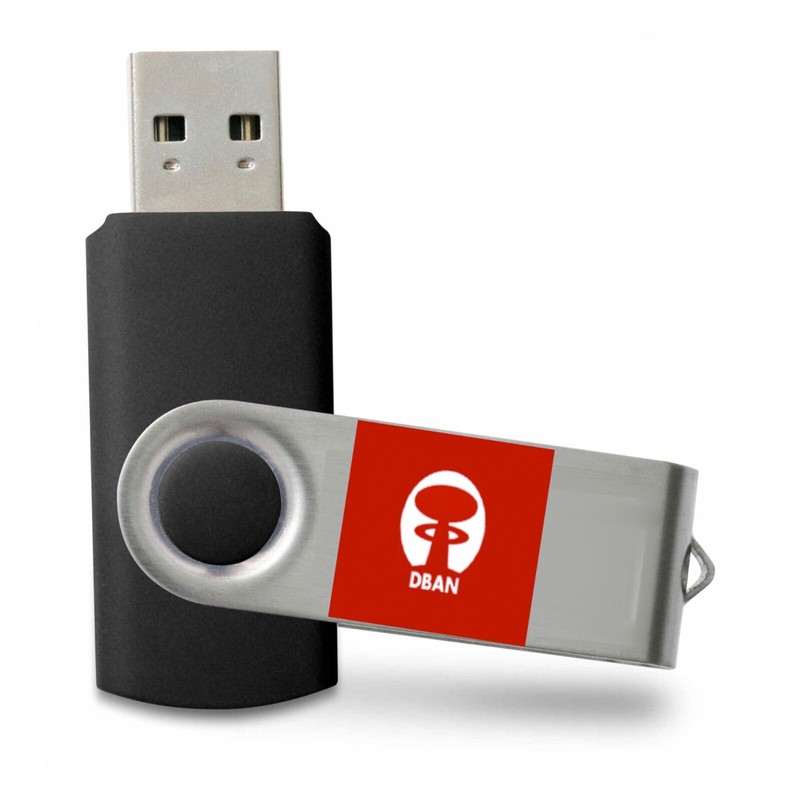


Disk Wiper Hard Drive & SSD Eraser Bootable USB - Nuke, Remove, Destroy data -
There are not many businesses that would sell any computer equipment that has a disk in it because it is just to easy to recover a lot of private information that they don’t want to be disclosed so some companies may just remove any media such as hard drive, SSD drives and even memory that will just be destroyed by shredding them into little bits and would be considered the most secure method of disposing of a disk. The other method is what a lot of sellers use when they are reselling any used disk and that is to securely wipe it so no old data can be recovered utilizing software that will wipe the disk based on some existing Department of Defense (DOD) defined standard. The process can take quite a long time as it is done sector by sector and it might repeat the process a few times before it is complete. The software in this listing is meant to securely wipe most types of media if you use the proper software. The reality is that Dariks Boot and Nuke (DBAN) is still quite popular, but it just hasn’t been updated in over a decade so the new version is just the old version and there is no such thing as a 2023 release. It would just be recommended only using DBAN for hard disks and not SSD’s. Newer hard drive and SSD’s may also have built in mechanisms that can be used to securely erase them before disposing of them, but not ever disk has that functionality. There is also newer software tools that can securely wipe hard disks and all kinds of SSD drives. The software boots and runs straight from a USB flash drive or DVD/CD, it doesn't matter what operating system already exists on the computer. It will remove all data/directories/operating systems, from the drive or drives you have selected for wiping, leaving a disk with no trace of what originally existed. The newer software (not BAN) will wipe PC's & Intel based MACs, such as MAC Book Pros. It doesn't care what operating system previously existed, be it Windows/MAC OSX/Linux/VXWorks. Note that the firmware on these drives may have been altered so it shows there is more space available then there actually is. If the drive is reformatted and used for some other purpose, it may not function as expected. The drives will be just as pictured, but will not included any logos or other special identifying features.
Specifications
| All Returns Accepted | ReturnsNotAccepted |
| Brand | Disk Erasure Tools |
| Format | USB |
| Language | English |
| Minimum Hard Drive Space | Less than 50 MB |
| License Category | GPL |
| Minimum RAM | 512 MB |
| Minimum Processor Speed | 512 MHz |
| For Operating Systems | Microsoft Windows 10 |
| Number Of Devices | Unlimited |
There are not many businesses that would sell any computer equipment that has a disk in it because it is just to easy to recover a lot of private information that they don’t want to be disclosed so some companies may just remove any media such as hard drive, SSD drives and even memory that will just be destroyed by shredding them into little bits and would be considered the most secure method of disposing of a disk. The other method is what a lot of sellers use when they are reselling any used disk and that is to securely wipe it so no old data can be recovered utilizing software that will wipe the disk based on some existing Department of Defense (DOD) defined standard. The process can take quite a long time as it is done sector by sector and it might repeat the process a few times before it is complete. The software in this listing is meant to securely wipe most types of media if you use the proper software. The reality is that Dariks Boot and Nuke (DBAN) is still quite popular, but it just hasn’t been updated in over a decade so the new version is just the old version and there is no such thing as a 2023 release. It would just be recommended only using DBAN for hard disks and not SSD’s. Newer hard drive and SSD’s may also have built in mechanisms that can be used to securely erase them before disposing of them, but not ever disk has that functionality. There is also newer software tools that can securely wipe hard disks and all kinds of SSD drives. The software boots and runs straight from a USB flash drive or DVD/CD, it doesn’t matter what operating system already exists on the computer. It will remove all data/directories/operating systems, from the drive or drives you have selected for wiping, leaving a disk with no trace of what originally existed. The newer software (not BAN) will wipe PC’s & Intel based MACs, such as MAC Book Pros. It doesn’t care what operating system previously existed, be it Windows/MAC OSX/Linux/VXWorks. Note that the firmware on these drives may have been altered so it shows there is more space available then there actually is. If the drive is reformatted and used for some other purpose, it may not function as expected. The drives will be just as pictured, but will not included any logos or other special identifying features.




![Corel PhotoMirage – Photo Animation Software [PC Download] Activation code only](/images/JQ0AAOSwq7hnewuy/Corel-PhotoMirage---Photo-Animation-Soft.webp)
